
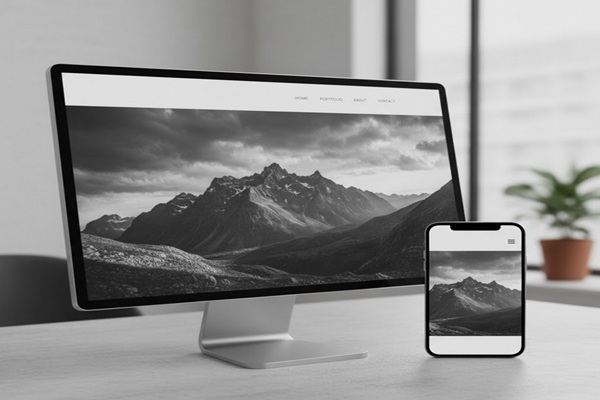
How to Build a Photography Portfolio (2026 Guide)
If you’re a photographer in 2026, your portfolio is more than just a digital gallery. It’s your brand, your first impression, and your most powerful client magnet.
Think about it. When someone wants to hire a photographer, what’s the first thing they ask for?
Can I see your portfolio?
Your portfolio is the deciding factor between: We’ll get back to you, and You’re hired.
But here’s the problem: most photographers don’t know how to build a photography portfolio that truly sells their skills.
They either:
- Dump random photos into a website template, or
- Wait for “real clients” before creating one (which never happens).
Here’s the truth:
You don’t need clients to build a great photography portfolio.
You need strategy.
In this ultimate guide, you’ll learn how to build a professional, client-attracting photography portfolio step by step. Whether you’re a beginner, a student, or a freelancer trying to break into the business, this guide will show you how to:
✅ Build a photography portfolio from scratch (even without clients)
✅ Choose the right niche and style
✅ Create a website that gets discovered on Google
✅ Design a portfolio that converts viewers into paying clients
Ready to create a photography portfolio that makes people say, “Wow”?
Let’s dive in.
1. What Is a Photography Portfolio (And Why It Matters in 2026)

A photography portfolio is a carefully curated collection of your best work that demonstrates your skill, creativity, and style.
But in 2025, it’s much more than that.
Your portfolio is your personal brand hub. It’s where potential clients, agencies, and collaborators decide if they can trust you. It’s also what search engines, social media, and even college admission panels use to evaluate your expertise.
Why It Matters:
- First impressions count.
People make hiring decisions in seconds. Your visuals must instantly communicate quality and consistency. - It builds credibility.
A professional portfolio signals experience and trustworthiness, even if you’re just starting out. - It’s your sales funnel.
Every photo, every caption, and every layout decision leads viewers toward one goal: booking you.
In other words, your portfolio isn’t just a showcase. It’s a silent salesman.
According to a 2023 Zenfolio survey, 82% of clients said a photographer’s portfolio was the #1 factor in their hiring decision. Zenfolio’s “State of the Photography Industry Report” also shows that portfolio websites are “the most important online tool for client acquisition.”
The key? Focus beats variety.
2. Choose Your Photography Niche (The Step Most Beginners Skip)
Before you upload a single image, you need to decide who you want to impress.
This step choosing your niche, can make or break your portfolio.
Think of your niche as your photography lane.
When you know your lane, your portfolio becomes laser-focused, your audience grows faster, and your marketing becomes effortless.
What Is a Photography Niche?
A niche is a specific area of photography you specialize in, such as:
- Wedding Photography
- Portrait Photography
- Real Estate Photography
- Product Photography
- Food Photography
- Fashion Photography
- Sports or Wildlife Photography
Each niche attracts a different type of client and demands a slightly different portfolio approach.
Example:
- A wedding portfolio should highlight emotions, storytelling, and editing consistency.
- A product photography portfolio should focus on clarity, lighting, and brand aesthetics.
- A real estate portfolio should showcase composition, color accuracy, and space representation.
By choosing your niche early, you save yourself from one of the biggest beginner mistakes: being a generalist.
But What If I’m Just Starting Out?
No problem. You can still niche down by shooting passion projects that match the type of clients you want.
For example:
- Want to be a food photographer? Cook a few dishes at home and style them creatively.
- Want to shoot fashion? Collaborate with local models or designers.
- Want to do real estate? Ask friends if you can shoot their apartments.
Your portfolio should reflect your future clients, not just your past projects.
Pro Tip:
If you’re still unsure about your niche, create 2–3 mini-projects across different styles.
Then ask yourself:
- Which photos get the most compliments?
- Which projects feel most enjoyable to shoot?
- Which photos look the most professional?
That’s your niche indicator.
Quick Action Steps:
- Write down your top 3 photography interests.
- Pick one niche to focus on for your main portfolio.
- Plan 5–10 portfolio-worthy shoots within that niche.
- Keep everything consistent editing style, color palette, lighting tone.
Common Mistakes to Avoid:
- Mixing genres (e.g., weddings + food + pets on one site).
- Using low-resolution or over-edited images.
- Copying others’ style instead of developing your own.
Your goal isn’t to look like everyone else. It’s to stand out through clarity and consistency.
Key Takeaway:
Niche + Quality + Focus = Portfolio Authority.
When your portfolio speaks to one audience, you don’t have to chase clients — they’ll chase you.
3. How to Build a Photography Portfolio Without Clients (Smart Beginner Hacks)

Here’s the harsh truth:
If you’re waiting for clients before creating your portfolio, you’ll be waiting forever.
Top photographers didn’t start with paid gigs. They started by creating their own opportunities.
Building a photography portfolio without clients is not only possible. It’s the fastest way to attract your first ones.
Let’s break it down.
Step 1: Create Spec Projects
Spec projects are self-initiated shoots designed to look like real client work.
Think of them as your “practice jobs” except they can land you real jobs.
Examples:
- Want to do product photography? Pick a coffee mug, watch, or perfume bottle and shoot it like it’s for a brand campaign.
- Want to do portrait photography? Ask friends or family members to model for free and treat the shoot like a paid session.
- Want to do food photography? Cook, style, and shoot your own dishes with good lighting and clean backgrounds.
The goal is to simulate professional work quality, even if the project is personal.
Step 2: Collaborate with Other Creatives
You don’t need paying clients. You need collaborators.
Work with:
- Makeup artists
- Stylists
- Local businesses
- Models
- Restaurants
- Real estate agents
Offer free or low-cost shoots in exchange for permission to use the images in your portfolio.
Why this works:
It’s a win-win. They get professional photos. You get professional-looking portfolio content.
Step 3: Use Personal Projects as Portfolio Pieces
Your hobbies can be marketing gold.
Do you travel?
Do you photograph nature or street scenes for fun?
Do you shoot your pets, kids, or local landmarks?
With the right curation and editing, these can become high-value portfolio sections.
Tip:
Use consistent editing presets or color grading across your portfolio. A cohesive look is often more impressive than variety.
Step 4: Participate in Photography Challenges
Join photography challenges on platforms like:
- ViewBug
- GuruShots
- Unsplash Contests
- Reddit r/photography weekly themes
You’ll sharpen your skills, build a community, and generate publishable shots that look credible on your portfolio.
Step 5: Practice Real-World Scenarios
If your goal is to get hired, your portfolio should look like you’re already getting hired.
Set up mock shoots that mirror professional assignments:
- A couple’s “engagement” session (friends acting as models)
- A fake product ad with realistic branding
- A fashion shoot using thrift-store outfits
The difference between a beginner and a pro is not experienced. It’s presentation.
Quick Action Plan:
- List 3–5 projects you can shoot this week (no clients needed).
- Schedule one collaboration with a local business or creator.
- Edit your photos with consistent style.
- Upload only your best 10–20 images to start.
Remember: Quality beats quantity always.
4. Choose Where to Build It: Website vs Free Platforms
Once you have your best shots ready, it’s time to show them off strategically.
In 2026, you have dozens of ways to build a photography portfolio.
But which one’s best for you?
Let’s break down your top options from beginner-friendly free tools to full professional websites.
Option 1: Build Your Own Photography Portfolio Website
If you’re serious about getting clients, a dedicated website is a must.
It gives you:
- Full control over your design and branding
- Better SEO visibility (Google rankings)
- A professional URL (yourname.com)
- Freedom from social media algorithms
Step-by-Step: How to Build a Photography Portfolio Website
| Platform | Price | Ease of Use | SEO (out‑of‑box & flexibility) | Customization (design & functionality) |
|---|---|---|---|---|
| Squarespace | ~$16–99/month (billed annually); all plans include hosting, no free plan. | Very high — drag‑and‑drop, polished UI, minimal technical friction. | Good for basic SEO (meta tags, URL structure, built‑in tools) but limited for advanced SEO customizations. | Good for typical needs (fonts, colors, layouts), but deeper custom code or very unique features are constrained. |
| Wix | Wide range: free tier (with Wix branding) up to ~$159/month for high end. | Very high — strong drag‑and‑drop builder, many templates, beginner friendly. | Decent built‑in SEO tools and guidance; but less flexible than open systems; performance & deeper control may be more limited. | Strong for many use cases (apps, widgets, custom layout), yet some restrictions in altering core template architecture. |
| WordPress (self‑hosted, WordPress.org) | Software is free, but you’ll pay for hosting (e.g. $3–50+/mo), domain, themes, and plugins. | Moderate to steep, depending on theme/page builder you use — there is a learning curve, especially for technical tasks. | Excellent: you have access to powerful SEO plugins (Yoast, Rank Math, etc.), full control over every SEO element (URLs, metadata, schema). | Maximal: full control via code, plugins, themes — almost anything is possible. |
| Adobe Portfolio | Included (for no additional cost) with Adobe Creative Cloud subscriptions (e.g. Photography plan ~$9.99/month) | Quite high for simple use — built for creatives to publish portfolio sites quickly. | Basic: supports metadata, custom URLs, Google Analytics integration — but lacks advanced SEO capabilities and marketing features. | Limited: you can change fonts, colors, layout variations, but deep custom code, animations or very complex structures are not supported. |
- Choose a Platform:
Use website builders like Wix, Squarespace, or WordPress.
These have drag-and-drop templates made for photographers. - Pick a Clean Layout:
Avoid clutter. Keep whitespace. Let your images breathe.
Minimalist themes perform best for photography. - Add Core Pages:
• Home: Showcase 5–10 of your best images.
• Portfolio: Organize photos by project or category.
• About: Tell your story and niche focus.
• Contact: Add a clear booking form or email CTA. - Optimize for SEO:
• Add alt text to images using keywords like “product photography portfolio” or “wedding portfolio example.”
• Include metadata on every page.
• Use internal links to related topics.
Option 2: Free Platforms for Beginners
If you’re just starting out, you don’t have to spend a cent.
Free platforms like Canva, Behance, or Instagram can help you get visible fast. Especially while building your main site.
Canva
- Perfect for creating PDF or slideshow-style portfolios.
- Easy drag-and-drop templates for beginners.
- Ideal for students or college admission portfolios.
(Keyword cluster: “how to make a photography portfolio on Canva”)
Behance
- Best for creative professionals and students.
- Great exposure through Adobe’s creative network.
- Easy to upload projects and descriptions.
- Perfect for visual storytelling and networking.
- Use your feed as a live portfolio.
- Optimize your bio with niche keywords: Wedding Photographer | New York | Book Now
Option 3: Hybrid Setup (Best of Both Worlds)
Here’s what professionals do:
They build a main website and link it to social proof platforms.
Example:
- Main website: yournamephotography.com
- Portfolio hub: yournamephotography.com/portfolio
- Social links: Instagram + Behance in footer
This creates an ecosystem that captures both SEO and social media audiences.
Website vs Free Platforms: Pros & Cons Table
| Option | Pros | Cons |
| Website (Wix, WordPress, Squarespace) | SEO control, professional branding, domain authority | Setup time, small hosting cost |
| Free Platforms (Canva, Behance, Instagram) | Quick setup, no cost, built-in audience | Less SEO control, limited customization |
| Hybrid Setup | Combines SEO + social reach, professional look | Requires consistent updates |
Pro Tips for Setup:
- Use a simple domain name: yournamephotography.com
- Keep image file sizes under 500 KB for fast loading
- Use HTTPS and SSL for trust signals
- Add testimonials or reviews under your “About” section
Quick Action Steps:
- Pick your platform today — start free if needed.
- Upload 10–15 curated images only.
- Write keyword-rich alt text for every photo.
- Add your contact form + booking CTA.
- Test your portfolio on mobile — 80% of clients browse from their phones.
5. Step-by-Step: How to Build a Photography Portfolio Website (That Converts)

By now, you’ve got your niche and a handful of solid images maybe even a few spec projects or collaborations.
Now it’s time to make it all look irresistible online.
A well-built photography website doesn’t just show your photos. It sells them.
Let’s go step-by-step through how to create a professional, SEO-optimized photography portfolio website that attracts clients, builds credibility, and gets found on Google.
Step 1: Choose the Right Platform
Your platform determines how easy your site is to build, update, and rank.
Here are the best options for 2026:
| Platform | Best For | Why It Works |
| Squarespace | Visual photographers | Sleek templates, built-in SEO, mobile-ready |
| Wix | Beginners | Easy drag-and-drop design, portfolio layouts |
| WordPress (with Elementor or Divi) | Professionals | Unlimited customization, strong SEO |
| Pixieset / Format | Wedding & portrait photographers | Simple galleries, client delivery tools |
| SmugMug | Event & sports photographers | Image protection + eCommerce options |
Step 2: Pick a Clean, Minimalist Theme
Your photos should be the hero, not your web design.
Stick to a white or dark neutral background, minimal navigation, and full-width images.
Remember: simplicity increases conversions.
What to include:
- Large hero image or slideshow on the homepage
- Minimal text (“About Me” & CTA only)
- Easy navigation: Home | Portfolio | About | Contact
What to avoid:
- Music auto-play (kills SEO and user experience)
- Overuse of animations
- Image-heavy pages with slow load times
Step 3: Craft a Killer Homepage
Your homepage is your elevator pitch.
In 5 seconds, visitors should understand:
- Who you are
- What type of photography you do
- How they can hire you
Example structure:
- Hero Image: One jaw-dropping photo from your niche
- Headline: “Modern Wedding Photography That Captures Real Emotion”
- Subheadline: “Serving couples in LA since 2000”
- CTA Button: “View My Portfolio” or “Book a Free Consultation”
This combination: “clarity + emotion + action” is what turns visitors into clients.
Step 4: Build a Strong Portfolio Page
This is the heart of your website.
Your portfolio page should be:
- Organized by project or theme (not by random upload order)
- Easy to navigate (ideally 3–4 categories max)
- Lightbox-enabled (so users can click and view images fullscreen)
Example categories:
- Weddings
- Engagements
- Editorial Shoots
- Commercial Work
Step 5: Add an “About Me” Page That Builds Trust
Most photographers make their “About” page about themselves.
Formula:
- Who you are (credentials or background)
- Who you serve (your target audience)
- What makes you different (unique style or process)
- How you can help (benefits to client)
Example:
“Hi, I’m Aisha, a LA-based wedding photographer who believes your best moments deserve timeless imagery.
I help couples capture authentic love stories through a relaxed, natural shooting experience.”
Add a photo of yourself behind the camera. This builds human connection.
Step 6: Create a Simple Contact Page That Converts
Don’t hide your contact form behind multiple clicks.
Keep it simple and clear.
Must-have elements:
- Short form (Name, Email, Message)
- Optional dropdown for “Type of Shoot” (Wedding / Product / Portrait)
- Clear CTA: “Let’s Talk” or “Book Your Session”
Bonus SEO Tip:
Add your location (e.g., “Wedding Photographer in LA”) in your footer and contact page.
This helps you rank for local search queries like “wedding photographer LA portfolio.”
Step 7: Optimize Your Site for SEO
This is where Backlinko-style magic happens.
Use these optimization tactics:
- Keyword-rich titles:
e.g., “Modern Product Photography Portfolio | John Tan Photography” - Image alt text:
e.g., “real estate photography portfolio LA” - Meta descriptions:
Compelling 150-character summaries with CTA - URL structure:
yoursite.com/portfolio/wedding-photography - Internal links:
Link blog posts → portfolio pages → contact form
Pro Tip:
Every page should have one clear goal either to showcase or to convert.
Quick Checklist
- Choose a minimalist template
- Add a keyword-rich title + meta description
- Upload 10–20 high-quality photos only
- Add a clear “Book Now” button
- Test on mobile & tablet
- Link social profiles (Instagram, Behance, Pinterest)
6. How to Select and Arrange Your Best Work (Curation That Converts)
Building your portfolio is only half the battle.
The next challenge? Choosing which photos make the cut.
Remember: your portfolio isn’t a photo dump. It’s a strategic highlight reel.
Rule #1: Quality Beats Quantity
A professional portfolio with 15 jaw-dropping images will outperform one with 100 average ones.
Your goal isn’t to show everything you’ve shot. It’s to show your best work.
Your portfolio should feel like a movie trailer, not the full movie.
Rule #2: Show Variety Within Consistency
Clients want to see that you’re versatile, but consistent.
For example:
- Different lighting conditions
- Different subjects
- Different editing styles
Stick to a cohesive tone. Whether it’s bright and airy, dark and moody, or cinematic.
This creates brand recognition.
Rule #3: Lead With Your Strongest Work
Your first three photos matter most.
Studies show that online users decide whether to stay or bounce within 7 seconds.
Start with your most impactful shots. The ones that make people say “wow.”
Pro Tip:
End strong too. Your last few images should leave a lasting impression.
Rule #4: Tell a Visual Story
Don’t just organize your images randomly.
Sequence them like a story; a beginning, middle, and end.
Example:
- Preparation shot
- Action moment
- Emotional close-up
- Environment or wide shot
This storytelling flow makes your portfolio emotionally engaging.
Rule #5: Refresh Regularly
A stale portfolio sends the wrong message.
Update it at least once every quarter with:
- New client work
- Personal projects
- Trend-based edits
Quick Action Steps
- Choose your 15–20 best photos.
- Arrange them from strongest to weakest.
- Keep editing style consistent.
- Add short captions for context or storytelling.
- Review your site from a client’s perspective:
“Would I hire this person based on these images?”
Takeaway:
Your portfolio isn’t a collection. It’s a conversion tool.
The right photo sequence, presentation, and design can turn casual browsers into lifelong clients.
7. How to Make a Professional Photography Portfolio (That Looks Expensive Even If You’re New)

You don’t need a $10,000 camera or a Hollywood studio to make your portfolio look premium.
What you do need is attention to detail, visual consistency, and smart presentation.
Here’s how to make your photography portfolio look clean, modern, and high-end. Even if you’re just starting out.
1. Prioritize Visual Consistency
The #1 factor that separates amateurs from professionals.
Consistency.
Consistency in:
- Color grading
- Lighting tone
- Subject composition
- Editing style
A cohesive portfolio tells clients:
This photographer has a signature style.
Pro Tip:
Pick one Lightroom preset or editing tone and apply it across your best photos.
A unified aesthetic helps your brand look intentional and premium.
2. Use Negative Space
Professional photographers understand the power of empty space.
Don’t overcrowd your portfolio with back-to-back busy images.
Instead, mix wide shots with close-ups, and give each photo breathing room.
This minimalist approach:
- Enhances focus on each image
- Improves site readability
- Feels more high-end
Think Apple.com — clean, elegant, and confident.
3. Include Only Relevant Work
If you’re pitching wedding clients, they don’t need to see your travel or street shots.
Show only what supports your target niche.
Formula:
Relevant + Consistent + High Quality = Professional Impression
If you shoot multiple genres (say, weddings and commercial), build separate portfolios for each.
4. Focus on Storytelling, Not Just Images
A professional portfolio doesn’t just show what you shoot. It shows why you shoot it.
Use short captions to guide the viewer.
Example:
“Shot during golden hour in Bali. This series captures the raw joy and intimacy between newlyweds after their ceremony.”
These micro-stories:
- Create emotional connection
- Show intentionality
- Keep visitors engaged longer (boosting SEO dwell time)
5. Add Social Proof
Nothing builds trust faster than proof that others love your work.
Include:
- Client testimonials
- Media features
- Awards or exhibitions
- Social follower counts (if impressive)
Example Layout:
⭐⭐⭐⭐⭐
“Aisha captured our wedding better than we ever imagined. Every emotion, every detail — pure magic.”
— Daniel & Priya, 2024
6. Make It Mobile-Friendly
Over 72% of portfolio visitors in 2026 browse from mobile.
If your website isn’t mobile-optimized, you’re losing leads.
Checklist:
- Responsive layout
- Fast loading (under 2 seconds)
- Tap-friendly buttons
- No horizontal scrolling
Run your site through Google’s Mobile-Friendly Test.
Mobile UX is now a major Google ranking factor.
7. Keep Your Branding Simple and Consistent
Choose a simple logo, one font pairing, and a consistent color palette.
Example:
- Font: Poppins / Lato
- Colors: White background, black text, subtle accent color
- Logo: Minimal signature or wordmark
Your brand’s design should reflect your photo style — clean and timeless, not loud or confusing.
Pro Tip:
If design isn’t your strength, grab a $15 portfolio logo from Fiverr or Canva Pro.
A good logo instantly levels up your credibility.
Pro Photographer Checklist
- Consistent editing style
- Clear storytelling captions
- Mobile-optimized website
- Testimonials + social proof
- Minimalist branding and layout
- Optimized speed + image compression
8. Common Photography Portfolio Mistakes (and How to Fix Them Fast)
Even the best photographers make simple portfolio mistakes that cost them clients.
Here are the top mistakes to avoid them.
Mistake #1: Too Many Photos
The “everything I’ve ever shot” syndrome.
Solution:
Curate ruthlessly. Show only your top 20–30 shots per niche.
Less clutter = higher perceived quality.
Mistake #2: Weak First Impression
Your first 5 photos set the tone.
Start with jaw-dropping shots that instantly grab attention.
Fix:
Ask a non-photographer friend, “Which 5 photos make you stop scrolling?”
Use those upfront.
Mistake #3: Slow Loading Times
Large RAW files kill your site speed (and your SEO).
If your site takes more than 3 seconds to load, 50% of users bounce.
Fix:
- Compress images with TinyPNG or Imagify
- Use next-gen formats like WebP
- Host videos externally (YouTube/Vimeo)
Mistake #4: No Call-to-Action (CTA)
A beautiful portfolio means nothing if visitors don’t know what to do next.
Fix:
Add CTAs like:
- “Book Your Session”
- “Let’s Collaborate”
- “Request a Quote”
Place CTAs after every 6–8 images or at the end of each section.
Mistake #5: No Contact Info or Social Links
You’d be shocked how many photographers forget to include this.
Fix:
Add a sticky footer or sidebar with:
- Phone
- Contact form
Make it effortless to connect with you.
Mistake #6: Ignoring SEO
Google can’t “see” your photos. It reads your text and metadata.
Fix:
- Add descriptive image alt text
- Use keyword-optimized page titles
- Write 150–200 words of intro text per gallery
Example alt text:
“Lifestyle product photography flat lay with natural lighting — LA”
This helps you rank for lucrative keywords while showcasing your work.
Mistake #7: No Personal Touch
A generic portfolio feels robotic.
Clients want to work with humans.
Fix:
Add a friendly photo of yourself, your story, or even a behind-the-scenes section.
Authenticity wins in 2026.
Quick Recap: Portfolio Mistake Fixes
| Mistake | Quick Fix |
| Too many photos | Cut to top 20–30 per niche |
| Slow loading | Compress images |
| Weak CTAs | Add clear action buttons |
| No SEO | Add alt text + keyword titles |
| Generic design | Add personal story & branding |
9. How Long Does It Take to Build a Photography Portfolio?
Here’s the truth most creators won’t tell you:
Building a great portfolio takes time — but not forever.
It depends on your experience, workflow, and niche.
If You’re a Beginner (0–6 Months Experience)
Timeframe: 1–3 months
Start by:
- Shooting 3–5 personal or test projects
- Building a simple 1-page portfolio on Wix or Squarespace
- Refining your editing style
Goal:
Get your first 10 strong, consistent photos online.
Perfection isn’t the goal- progress is.
If You’re Intermediate (6–18 Months)
Timeframe: 2–4 months
Focus on:
- Building a 5–6 page site
- Creating separate galleries by category
- Gathering testimonials
Goal:
Refine your niche and strengthen your personal brand voice.
If You’re Advanced (2+ Years)
Timeframe: Ongoing
You’re likely updating your portfolio quarterly with client projects, brand collaborations, and SEO blog content.
Goal:
Dominate your local search rankings and build authority backlinks to your site.
Speed Up the Process With This 3-Step System:
- Plan (1 Week): Define niche + gather best images.
- Build (2–3 Weeks): Create site using template + upload galleries.
- Polish (1 Week): Add SEO, branding, and testimonials.
Total: 4–6 weeks to launch a professional portfolio.
Key Takeaway:
Your portfolio isn’t just about what you’ve done. It’s your proof that you’re the right choice.”
If you approach it with strategy, consistency, and storytelling. Your portfolio becomes your 24/7 salesperson working for you even while you sleep.
10. How to Promote Your Photography Portfolio (and Get Clients Fast)
Now that your portfolio looks clean, consistent, and professional, it’s time to get it in front of the right people.
A great portfolio is useless if no one sees it.
The real growth happens when your site starts attracting traffic, backlinks, and clients.
Let’s break down the most effective promotion strategies for 2026.
1. Optimize Your Portfolio for Google Search (SEO That Works)
Your goal isn’t just to have a portfolio — it’s to have a discoverable portfolio.
Here’s how to make Google love your photography site:
On-Page SEO Checklist
- Use your primary keyword (e.g., “wedding photography portfolio”) in:
- Page title
- Meta description
- H1 heading
- First 100 words of your About page
- Add alt text to every image (describe what’s in it using natural language).
- Include a portfolio description (150–200 words) per gallery.
- Use internal links between related pages (e.g., “See my latest product shoot here”).
Backlink Strategy
High-authority backlinks = higher Google rankings.
Here’s how to earn them:
- Guest post on creative or photography blogs.
- Submit your portfolio to directories like Behance, 500px, and PhotoShelter.
- Share your projects on Reddit (r/photography) and niche Facebook groups.
- Collaborate with local businesses. They’ll often link to your site from their own.
Pro Tip:
Every backlink from a reputable site act as a “vote” in Google’s eyes. The more votes you earn, the more visible your portfolio becomes.
2. Leverage Social Media Like A Pro
Your social media accounts are traffic funnels, if used strategically.
Still the #1 platform for visual discovery.
Use it as a “micro-portfolio.”
Tips:
- Post 2–3 times per week with behind-the-scenes Reels.
- Write captions that tell stories, not just hashtags.
- Add your website link in your bio.
- Use Highlights for “Weddings,” “Commercial,” “Before/After,” etc.
SEO Bonus:
Include your location and niche in your username (e.g., “@sydney.product.photography”). It helps you appear in Instagram search.
Yes, LinkedIn. It’s an untapped goldmine for photographers.
Why it works:
Business owners, marketers, and agencies browse it daily.
Tips:
- Post your best 3–5 portfolio images weekly with mini case studies.
- Comment on other creatives’ posts.
- Add “Photographer | [Your Niche] | [Your City]” to your headline.
LinkedIn posts with 3+ images and short storytelling captions get 30% more engagement than text-only posts.
Pinterest is an image search engine — not a social media platform.
It’s one of the best traffic sources for creative portfolios.
How to use it:
- Create boards for each photography niche you serve (e.g., “Wedding Poses,” “Product Flatlays,” “Real Estate Interiors”).
- Pin your own portfolio images with links back to your website.
- Use keyword-rich titles and descriptions.
Pinterest pins can rank in Google Images for months (sometimes years), giving your portfolio consistent referral traffic.
3. Submit to Features and Publications
Getting featured on high-authority sites is the fastest way to build credibility and backlinks.
Start with:
- Local magazines or blogs
- Wedding or food industry websites
- Photography contest platforms
Example Outreach Email:
Subject: Photo Feature Submission – [Your Name]
Hi [Editor’s Name],
I’m a [your niche] photographer based in [location]. I recently shot a [describe project briefly] and thought it could be a great fit for your audience.
Here’s the gallery link: [your portfolio link]
Let me know if you’d like more details or behind-the-scenes photos.
Best,
[Your Name]
Keep it short, polite, and value driven.
4. Use Email Marketing to Build Relationships
Even if you’re not a marketing expert, a simple email list can help you stay top-of-mind.
Steps:
- Add a newsletter signup form on your portfolio homepage.
- Offer a freebie (e.g., “Free Couple Shoot Guide” or “Photography Style Quiz”).
- Send 1–2 helpful emails per month with:
- Recent projects
- Behind-the-scenes stories
- Exclusive offers
Businesses using email to nurture leads see 50% more conversions than those relying solely on social media.
5. Network Offline to Drive Online Traffic
Yes, old-school networking still works in 2026.
Attend:
- Local art fairs
- Photography meetups
- Brand launch events
- Community workshops
Bring business cards with your portfolio URL or a QR code that links directly to your site.
Pro Tip:
A 30-second in-person connection can lead to a client browsing your portfolio that same night.
11. Keep Your Photography Portfolio Fresh (Ongoing SEO Strategy)
Search engines and clients love fresh content.
If you want your portfolio to stay relevant, you must update and expand it regularly.
1. Add New Projects Monthly
Upload new images from client work or personal shoots every month.
When you update a page, Google re-crawls it boosting your freshness score and potentially your rankings.
2. Blog Your Shoots
Turn every major shoot into a blog post.
Example:
“Behind the Lens: My Latest Product Photography Shoot for XYZ Brand”
Include:
- Storytelling captions
- Gear used
- Lighting setup
- Client testimonial
- Before/after images
Blog posts allow you to target long-tail keywords like:
- “how to build a food photography portfolio”
- “real estate photography lighting setup”
Formula:
More blog posts = more ranking opportunities = more portfolio traffic.
3. Update Testimonials and Social Proof
Rotate testimonials every few months.
Add new brands you’ve worked with or features you’ve earned.
Social proof is conversion fuel.
4. Refresh Old Images
Delete or replace outdated work.
If your editing style has evolved, re-edit older images for consistency.
Refreshing old content (even visuals) can increase organic traffic by up to 111%.
5. Track Your Performance
Use tools like:
- Google Analytics → Track visitors and top pages.
- Google Search Console → Find which keywords bring traffic.
- Hotjar → See how users interact with your site.
These data insights tell you:
- Which images hold attention longest
- Which CTAs convert
- Which galleries rank best
Adjust your site every quarter based on what works.
12. Quick Checklist: The Perfect Photography Portfolio (2026 Edition)
Here’s your ultimate step-by-step summary.
Step 1: Plan
- Choose your niche
- Define your target audience
- Gather your best 15–30 images
Step 2: Build
- Choose a clean website platform
- Add core pages (Home, Portfolio, About, Contact)
- Write keyword-rich titles and descriptions
Step 3: Optimize
- Compress images for fast loading
- Add SEO tags, alt text, and internal links
- Create a mobile-friendly layout
Step 4: Showcase
- Arrange images in storytelling order
- Include testimonials and social proof
- Add clear CTAs (“Book Now,” “Contact Me”)
Step 5: Promote
- Share on Instagram, Pinterest, LinkedIn
- Guest post and earn backlinks
- Network with local businesses and creatives
Step 6: Maintain
- Refresh projects quarterly
- Blog new shoots
- Monitor SEO metrics
Remember: Your portfolio is a living asset, not a one-time project.
13. Final Thoughts: Your Portfolio Is Never Finished
Here’s the truth bomb:
The best portfolios aren’t perfect, they’re active.
Your portfolio is your most valuable marketing asset.
It grows with you. It evolves with your skills. It represents your journey from beginner to professional.
Don’t wait until you’re “ready.”
Start with what you have. Refine as you go.
Every month you delay publishing your portfolio is a month of missed opportunities.
Ready to Build Yours?
Start today, pick your 10 best images, choose a platform, and publish your first version within 7 days.
Then, share it.
Get feedback.
Refine it again.
That’s how every successful photographer from unknown to world-class built their career.
Bonus Resources:
- [Free Portfolio Checklist (PDF)] – Step-by-step planner to launch your site in 30 days
- [SEO for Photographers (Free Guide)] – Rank your site in 2026
Your photography portfolio isn’t just about showcasing your art. It’s about building your brand, authority, and income.
Start small. Build smart.
Because your next client isn’t looking for perfection. They’re looking for you.





3 Comments