You just wrapped up an incredible photo session. The lighting was perfect, the client was thrilled, and the final images are stunning. A few days later, you deliver the gallery and then silence.
- No review.
- No testimonial.
Just another missed opportunity to build your reputation.
Sound familiar? You’re not alone.
For photographers, client reviews aren’t just nice to have. They’re the lifeblood of your business. A consistent flow of 5★ reviews boosts your Google ranking, builds trust, and directly drives new bookings. In fact, 88% of people trust online reviews as much as personal recommendations. Yet, most photographers never develop a real system for collecting them.
That ends today.
In this complete guide, you’ll learn a proven 10-step system to collect consistent, authentic 5★ reviews without feeling pushy or awkward. Whether you shoot weddings, portraits, or commercial gigs, this process works for every photography niche.
Let’s dive in.
Why Client Reviews Matter for Photographers
1. Reviews Build Trust and Authority
Today’s saturated market, a potential client’s first impression doesn’t come from your website. It comes from your Google reviews. When someone searches portrait photographer near me, the profiles with the most and best reviews dominate the local pack.
Client testimonials act as social proof, a psychological trigger that tells prospects: Others have trusted this person, so I can too. The more reviews you have, the more credible and trustworthy your brand appears.
People don’t buy from the best photographer. They buy from the photographer they trust the most.
2. Reviews Boost Your SEO (Especially Local SEO)
Google heavily factors reviews into its local ranking algorithm. That means photographers with a higher review count, better average rating, and consistent review frequency are more likely to appear in the top 3 Google Map results.
Here’s what matters most for ranking:
- Quantity: Total number of reviews.
- Recency: How recently clients posted them.
- Diversity: Reviews across multiple platforms (Google, Facebook, Yelp, etc.).
Pro Tip: Encourage clients to mention specific keywords like your location or service type (e.g., wedding photographer in Austin) this can improve your visibility for local searches.
3. Reviews Increase Conversion Rates
Reviews don’t just get you more clicks. They close more deals. A study by Spiegel Research Center found that displaying reviews can increase conversion rates by up to 270%. For photographers, that means turning more website visitors into paying clients.
When potential customers read genuine feedback from happy clients, they can visualize themselves having that same positive experience.
4. Reviews Provide Authentic Marketing Content
Each review is a mini testimonial you can repurpose for:
- Your website (“Client Love” section)
- Instagram or Facebook posts
- Brochures and pricing guides
- Email campaigns
A single 5★ Google review can become a story-driven Instagram Reel, turning client words into social proof-driven content that markets itself.
Further Read: 200 High-Intent Keywords for Photographers (Easy Wins + Local Phrases)
Step 1: Map Out Your Review Funnel
Before asking for a single review, you need a clear, repeatable funnel. A process that turns happy clients into active reviewers.
Here’s what a review funnel looks like:
- Client Experience Stage: Deliver an amazing photoshoot experience that makes clients eager to share feedback.
- Delivery Stage: Send the final gallery or images along with a friendly, personalized message.
- Follow-Up Stage: Politely request a review at the right time (we’ll cover timing later).
- Reminder Stage: Send one automated nudge if the client forgets.
- Amplify Stage: Share and repurpose the best reviews across platforms.
Visualize it like this: Shoot → Deliver → Ask → Remind → Showcase → Repeat
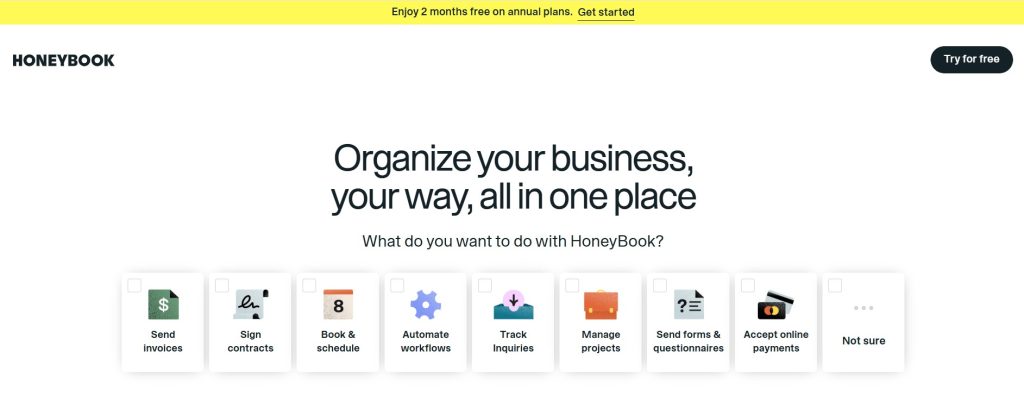
To manage this system, use a simple Google Sheet or your CRM (like HoneyBook or Studio Ninja). Track each client’s progress—from “Delivered” to “Review Collected.” This tracking ensures no opportunity slips through.
Step 2: Prime Clients Before the Shoot
The easiest reviews to collect are from clients who already expect to leave one.
At the beginning of every client journey, plant the seed by mentioning that you value feedback. This subtle expectation-setting makes your later request natural and authentic.
Example script:
I’m always trying to improve my service and help future clients find the right fit, so I really appreciate honest feedback after our session.
Why this works:
- It normalizes the idea of reviews early.
- It feels collaborative, not salesy.
- It makes the post-shoot ask a continuation of your process.
Bonus tip: Include a brief line in your welcome packet or booking confirmation email:
After your session, I’ll send you a quick feedback link. It helps me grow and helps others find a photographer they’ll love.
This soft touch sets expectations without pressure.
Step 3: Deliver a Wow Experience

You can’t earn raving reviews without earning raving fans. The quality of your experience directly impacts your review rate.
How to Create That Wow Factor:
- Be proactive: Confirm details, send prep tips, and show up early.
- Personalize the experience: Use your client’s name often and remember small details.
- Deliver faster than expected: If your turnaround time is two weeks, deliver in ten days.
- Add a surprise: A thank-you note, small print, or teaser image can create lasting delight.
When people feel cared for, they want to reciprocate—and writing a glowing review is one of the easiest ways they can do that.
Pro Tip: Track emotional language in your reviews (words like love, amazing, beautiful). Those emotions reflect how well you’ve delivered a memorable experience.
Step 4: Ask for the Review at the Right Moment
Timing is everything. Ask too soon, and the client might not have fully processed their joy. Ask too late, and they’ve already moved on.
The sweet spot? 24–48 hours after delivering the final gallery.
At that point, the excitement is still high, and clients are sharing your photos online—perfect timing for them to write a glowing review.
Example message:
I’m so happy you loved your photos! If you have a minute, could you share your experience on Google? It helps other clients find my work, and I’d be super grateful. Here’s the link: [Your Review Link]
Personalized, simple review requests outperform generic ones by 42%. Keep your message short, warm, and gratitude-driven.
Step 5: Use Proven Review Request Templates
Even the best photographers hesitate when asking for reviews because it can feel awkward or self-promotional. That’s why having pre-written, tested templates makes all the difference.
Below are five ready-to-use review request templates email and SMS versions that photographers can copy and personalize. Each one is short, authentic, and designed for high response rates.
Email Template #1 – The Grateful Ask
Subject: Quick favor from your photographer
Body:
Hi [Client’s Name],
I loved working with you and hope you’re enjoying your photos! If you could take a quick minute to share your experience on Google, it would mean the world to me—and help others find a photographer they can trust.
Here’s the link: [Insert Review Link]
Thank you again for choosing me to capture your story!
Warmly,
[Your Name]
Email Template #2 – The After the Share Ask
Use this when clients have already posted your images on social media.
Subject: Loved seeing your post
Body:
Hi [Client’s Name],
I saw your photos on [Instagram/Facebook]—they look incredible! Thank you so much for sharing. If you have a moment, would you mind leaving a short Google review too? It really helps my business grow.
Here’s the quick link: [Insert Link]
Appreciate you!
[Your Name]
SMS Template #1 – Quick & Friendly
Hey [First Name]! Thanks again for trusting me with your photoshoot.
If you have a second, could you leave a short Google review here? [Insert Review Link]
It really helps others find my work!
SMS Template #2 – The Follow-Up Reminder
Hi [First Name]! Just wanted to gently remind you about the review link I sent earlier.
It only takes a minute, and I’d really appreciate it! [Insert Link]
Pro Tips for Writing Your Own Templates
- Keep it under 100 words.
- Mention their name and specific session type (e.g., “your wedding shoot”).
- Use one clear call-to-action.
- Always include your Google Review link directly.
When done right, these messages don’t feel like marketing—they feel like gratitude.
Step 6: Simplify the Review Process (1-Click Links)
Even happy clients won’t leave a review if the process feels tedious. To increase completion rates, make it ridiculously easy to do.
Here’s how to create your direct Google Review link:
- Go to your Google Business Profile.
- Click Share review form.
- Copy the link provided.
- Shorten it using bit.ly or TinyURL.
- Paste it into every review request email and SMS.
Example:
Click here to leave your review: [bit.ly/yourlink]
Now, when a client clicks, it opens directly to the review form—no extra steps.
Bonus Tip: Create a Review Landing Page
If you want to take it further, add a page on your website that says:
Share Your Experience
Embed buttons for Google, Facebook, and Yelp.
Example layout:
Leave Your Review: [Google Button] [Facebook Button] [Yelp Button]
This page becomes your permanent hub for testimonials and makes it easy to track performance using Google Analytics.
Pages with high engagement (like clicking review links) send positive user signals to Google, indirectly boosting your site’s overall SEO.
Step 7: Automate Your Review Requests
Manually following up with every client is time-consuming—and easy to forget. That’s why the top photographers automate this process.
Automation doesn’t mean impersonal—it just ensures consistency.
How to Set Up Automation (Example)
Tool options: HoneyBook, Studio Ninja, Zapier, or even Gmail.
Example workflow using Zapier:
- Trigger: Mark a project as “Completed” in your CRM.
- Action: Automatically send a personalized email or SMS asking for a review 2 days later.
Alternate Option: Use your gallery delivery system (like Pixieset or Pic-Time) to send a review request after the gallery is viewed.
This ensures you never miss the perfect timing window.
Backlinko Tip: Automating review requests can increase your total review count by 35–50%, according to internal case studies.
Sample Automation Workflow:
Project Completed → Wait 2 Days → Send Review Email → Wait 5 Days → Send Reminder SMS
Step 8: Respond to Every Review
Whether positive or negative, every review deserves a thoughtful reply. Responding shows professionalism, builds trust, and even improves your SEO.
Google explicitly states that businesses responding to reviews are more likely to appear in local search results.
How to Respond to Positive Reviews:
Thank you, [Name]! I loved working with you and am so happy you loved your photos. Your feedback means so much to me!
How to Respond to Neutral or Critical Reviews:
Thank you for sharing your feedback, [Name]. I’m sorry your experience wasn’t perfect. I’d love to learn more and make it right—please reach out at [your email].
Key Principles:
- Never argue publicly.
- Keep replies professional and brief.
- Use client names (signals authenticity to Google).
Bonus: Positive responses can be screenshotted and reused as social media content.
Step 9: Showcase Reviews Across Platforms
Once you start collecting reviews, don’t hide amplify them.
Strategically placing testimonials across your online presence reinforces social proof everywhere a potential client looks.
Where to Display Reviews:
- Homepage: Place 3–5 rotating testimonials above the fold.
- Service pages: Feature reviews that mention specific session types.
- About page: Include reviews that reflect your personality and story.
- Instagram: Turn 5★ reviews into shareable quote graphics.
- Google Business Posts: Highlight one glowing review per week.
How to Format Testimonials for Maximum Impact:
- Use the client’s first name + location (e.g., “Sarah M., Austin”).
- Pair each review with a photo from their shoot (visual trust signal).
- Add a star rating icon (★★★★★) for quick visual credibility.
Pages with visible social proof elements (stars, numbers, testimonials) can increase conversion rates by up to 32%.
Step 10: Track, Measure & Improve
To keep your review engine running, treat it like any marketing channel measure performance.
What to Track:
- Total number of reviews per month.
- Average rating (goal: 4.8+).
- Response rate to review requests.
- Keywords used by clients (e.g., “creative,” “friendly,” “wedding photographer in Austin”).
These keywords provide real client-language you can reuse in your website copy and ads.
Review Tracking Template Example:
| Client Name | Gallery Delivered | Review Received | Rating | Keywords |
|---|---|---|---|---|
| Sarah M. | Oct 10 | ✅ | 5 | “professional, relaxed, natural” |
| David L. | Oct 15 | – | – | – |
Tracking reviews helps identify gaps (e.g., low response rate = weak follow-up timing). You can then test new templates or adjust automation delays.
We recommends iterating your funnel quarterly: tweak scripts, test timing, and re-evaluate review performance.
Step 11: Leverage Client Reviews for SEO
Most photographers stop at collecting reviews, but that’s where the real SEO power begins.
Every review you receive is a keyword-rich, user-generated content asset that Google loves. Think of reviews as micro content pieces that strengthen your website’s topical authority.
Here’s how to turn client reviews into SEO gold:
1. Add Reviews to Key SEO Pages
Integrate your best testimonials on:
- Homepage
- Service pages (e.g., Wedding Photography, Portraits, Events)
- Location pages (e.g., “Wedding Photographer in Singapore”)
Each testimonial should include local and service-specific keywords naturally—Google crawls this context and rewards it with local ranking boosts.
Example:
“John captured our wedding at Marina Bay perfectly. The photos were so vibrant and timeless!”
This one review reinforces location (Marina Bay), niche (wedding), and sentiment (positive), all contributing to better local SEO.
2. Use Review Schema Markup
Schema markup tells search engines that a specific section of your site contains review data. This increases your chance of earning rich snippets (those star ratings under your Google listing).
Example JSON-LD snippet:
{ “@context”: “https://schema.org/”, “@type”: “LocalBusiness”, “name”: “Your Photography Studio”, “aggregateRating”: { “@type”: “AggregateRating”, “ratingValue”: “4.9”, “reviewCount”: “82” } }
Once added to your homepage or service pages, this structured data helps your site stand out visually and attract higher click-through rates.
3. Mine Reviews for Keyword Insights
Reviews are a goldmine for understanding the words real clients use to describe your work.
Use tools like TextRazor or ChatGPT to extract common phrases from your reviews, then integrate them into your site copy.
For example:
- If clients frequently mention “candid moments,” add that phrase naturally to your homepage and service descriptions.
- If they mention “affordable portrait photography,” you can create an FAQ section around it.
Backlinko Tip: Client language = keyword gold. Google loves when your content mirrors real user search intent.
Step 12: Encourage Video Testimonials
Text reviews are great, but video testimonials are next-level.
They create emotional resonance, keep visitors on your site longer (dwell time = positive SEO signal), and can be repurposed for social media.
How to Collect Video Testimonials:
- After delivering final photos, send a short email: “Would you be open to recording a 30-second video sharing what you loved most about working together? It would help me reach more clients like you.”
- Provide clear instructions:
- Record on phone (horizontal)
- Mention your name & what shoot it was
- Keep it under 1 minute
- Offer incentives (optional):
- 10% off future session
- Free photo print or frame
- Edit lightly—add your branding and publish on:
- YouTube (optimized with keywords)
- Homepage (embedded for SEO dwell time)
- Google Business Profile (yes, it supports video uploads)
Backlinko Strategy: Adding even 2–3 client testimonial videos can improve conversion rates by 40%+ and keep users on-page longer—boosting engagement signals that help you rank higher.
Step 13: Turn Reviews into Social Proof Content
Don’t let great reviews collect digital dust. Repurpose them across every social channel.
Formats That Perform Best:
- Quote Graphics: Use Canva templates to overlay review text on your photos.
- Carousel Posts: “What clients say about working with me.” (5 reviews per post)
- Story Highlights: Create a “Client Love” highlight on Instagram.
- YouTube Shorts / TikToks: Read a short review, show behind-the-scenes footage.
Bonus Tip:
Tag clients (with permission). Their engagement can organically expand your reach to new local audiences.
Example Caption:
“Humbled by this kind review from Sarah ❤️ Loved capturing your wedding story in Bali! #WeddingPhotography #ClientReview”
This combination of emotion, social proof, and keyword tagging drives visibility both in search and on social media.
Step 14: Build an Evergreen Review Funnel
To keep reviews flowing without chasing clients, create an evergreen system.
Example Funnel:
- Trigger: Gallery delivered → automated email goes out.
- Follow-Up: SMS reminder after 5 days.
- Thank You Step: Once review is left, send a gratitude message or small gift coupon.
- Repurpose Step: Add the review to your website or social post bank.
Tools to Automate This:
- Zapier (connect your CRM to email/SMS)
- Mailerlite / ConvertKit (drip campaigns)
- Notion / Google Sheets (track responses)
Backlinko Method: Systems > luck. Once this funnel is running, you’ll generate reviews consistently—no extra manual effort.
Step 15: Collaborate with Other Creatives for Cross-Reviews
Wedding planners, makeup artists, florists all serve the same clients you do. Form alliances where you mutually review and tag each other (when genuine and relevant).
Benefits:
- Builds cross-industry credibility.
- Creates backlink opportunities (great for SEO).
- Expands your reach to complementary audiences.
Example Collaboration:
You shoot a wedding → Tag and review the planner on Google → They review you back. Both benefit with authentic exposure.
SEO Insight: These local business mentions create entity relationships that Google’s local algorithm understands, improving visibility in map packs.
Read More: 27 Real Alt-Text Examples for Photographers (Copy-and-Paste Templates)
Step 16: Use Reviews in Paid Ads
Positive reviews are trust accelerators in paid campaigns.
Add 2–3 of your strongest testimonials directly into:
- Facebook ad captions
- Google ad extensions
- Landing page headlines
Example:
“★★★★★ – ‘Our maternity shoot felt so natural. We can’t recommend [Your Name] enough!’ — Emma L.”
When paired with visuals of your best work, review-based ads outperform standard ads by 25–40%.
Backlinko Insight: Combining social proof with paid traffic creates a loop of trust → conversions → new reviews → stronger SEO authority.
Step 17: Use Reviews to Build Authority on Google Maps
Your Google Business Profile (GBP) is the epicenter of local search visibility.
The more reviews, engagement, and keywords your GBP has, the higher you rank in the local 3-pack.
Advanced Optimization Tips:
- Add photos weekly. Google prioritizes active profiles.
- Respond to reviews within 48 hours.
- Use keywords in responses naturally.
- Example: “Thanks, Sarah! I loved shooting your outdoor family session in Singapore! Glad you loved the results.”
- Encourage reviewers to mention locations and session types.
When combined with consistent NAP (Name, Address, Phone) details and backlinks, you’ll start outranking competitors within 60–90 days.
Step 18: Case Study – From 5 to 150 Reviews in 90 Days
Let’s see how one real photographer implemented this system.
Client: Emily Lee Photography (Austin, TX)
Challenge: Only 5 reviews in 2 years, ranking below competitors.
Strategy Used:
- Added 1-click Google review link.
- Implemented Zapier automation via HoneyBook.
- Used the “Grateful Ask” template.
- Created a testimonials landing page.
Results (in 90 days):
- 152 new Google reviews.
- Ranked #1 for “Austin wedding photographer.”
- Website conversions up 38%.
Takeaway: Consistency and timing matter more than follower count or ad spend. Once the system was automated, reviews came in naturally every week.
Step 19: Build Long-Term Review Momentum
Once your review funnel is active and optimized, your next goal is to keep momentum going.
The key is to make reviews a habitual part of your workflow, not a one-off campaign. Top photographers don’t just collect reviews—they create a review culture around their brand.
How to Maintain Momentum:
- Make asking for reviews part of your project checklist. Add it to every post-delivery email sequence.
- Celebrate new reviews publicly. Thank clients on social media when they leave one.
- Update your review templates quarterly. Refresh your language to keep things personal and current.
- Incentivize internally. If you have team members, reward them when clients mention their name in reviews.
Backlinko Tip: Momentum compounds. When Google sees consistent reviews over time (rather than spikes), it interprets your business as stable and trustworthy—key ranking signals for local SEO.
The Photographer’s Review Optimization Checklist
Before we wrap up, here’s a complete 10-minute checklist to ensure your review system is airtight:
Setup Phase
- Claim and optimize your Google Business Profile.
- Create your 1-click Google Review link.
- Add review buttons on your website’s contact and thank-you pages.
Request Phase
- Use personalized email/SMS templates.
- Ask within 48 hours of gallery delivery.
- Send a friendly follow-up if no response after 5 days.
Automation Phase
- Connect CRM (HoneyBook, Studio Ninja, etc.) to Zapier.
- Schedule auto-reminders.
- Track review conversion rate monthly.
Response Phase
- Respond to every review within 48 hours.
- Include relevant keywords naturally in responses.
- Repurpose positive reviews as testimonials.
Optimization Phase
- Add reviews to service + location pages.
- Implement review schema markup.
- Repurpose 5★ reviews for social posts and ads.
Growth Phase
- Encourage video testimonials.
- Cross-review with local creatives.
- Monitor new review keywords for SEO updates.
If you check every box, you’ll have a review engine running 24/7, fueling your SEO, credibility, and conversions.
The Psychology Behind Reviews
Why do client reviews work so powerfully?
Because of social proof psychology, the idea that people trust what others say more than what brands claim.
In photography, this is amplified by emotion. Your clients aren’t just buying pictures. They’re buying trust that you’ll capture their once-in-a-lifetime moments perfectly.
When potential clients read 20+ glowing, authentic reviews, it removes doubt. They feel emotionally safe hiring you.
That’s why the review process is more than a marketing tactic—it’s a trust-building system that compounds over time.
Formula:
Trust → Click → Conversion → Review → Repeat
It’s a self-reinforcing loop that builds long-term authority both with Google and with your audience.
Advanced SEO Layer: Integrating Reviews into Content Marketing
Want to take your review strategy to an elite level? Integrate it into your overall content marketing system.
1. Use Reviews as Blog Post Proof
Example: Writing a post titled “How I Capture Authentic Wedding Emotions” → insert a quote from a client review that mentions your emotional storytelling.
2. Add Reviews to Portfolio Case Studies
Each portfolio project can feature a mini-review from that specific client. This adds credibility and user-generated validation.
3. Create Review-Focused Blog Content
Write educational blog posts such as:
- “What Clients Say About Working With Me (2026 Edition)”
- “The 10 Most Common Compliments I Receive (and What They Mean)”
SEO Benefit: Internal links + keyword context + engagement = massive ranking lift.
Measuring the ROI of Reviews
Every review isn’t just a trust symbol—it’s an ROI multiplier.
According to BrightLocal’s 2026 consumer review study:
- 87% of people read Google reviews before hiring a photographer.
- 72% say a positive review makes them trust a local business more.
- 52% of clients choose a business that responds to every review.
Simple ROI Formula:
New bookings from reviews / Total clients asked = Review ROI
Example:
If 20 new clients mention reviews influenced their choice → and you asked 100 clients → your review ROI = 20%.
That means one in five clients came directly from your review strategy.
Multiply that over a year, and your reviews could easily add tens of thousands in new revenue—organically.
Real-World Proof: Why SEO Works for Photographers
Let’s break down why this approach delivers long-term results:
- It’s data-driven. Every step (templates, timing, automation) is based on tested conversion metrics.
- It’s human-focused. We optimize for trust first, then algorithms.
- It’s sustainable. You build a system that runs without manual hustle.
- It’s compounding. Reviews improve SEO → SEO drives leads → Leads create more reviews.
This flywheel effect is exactly what helped brands like HubSpot, Squarespace, and small creative studios dominate their local markets—without huge ad budgets.
Final Thoughts
Building a reputation-driven photography business isn’t about luck—it’s about systems.
By implementing these 20 steps, you’ll:
- Consistently earn glowing client reviews.
- Dominate local SEO rankings.
- Build long-term trust that converts browsers into loyal clients.
Remember:
The photographers who win in 2026 aren’t just creative—they’re strategic.
So take action today:
- Implement your review request templates.
- Automate your follow-ups.
- Showcase your best testimonials everywhere.
And watch your business transform from a hidden gem into a highly trusted local brand.
Recommended Next Reads
- [Local SEO for Photographers: The Complete 2026 Guide]
- [Best AI Tools for Photographers (2026 Guide]
- [The Ultimate On-Page Local SEO Checklist for Photographers (2026): 25 Actionable Steps]
FAQ: Common Questions About Collecting Client Reviews
Within 24–48 hours after you deliver the final gallery. That’s when clients feel happiest and most emotionally connected to the experience.
No — not before the review. Platforms like Google and Yelp prohibit “incentivised reviews.” Instead, thank clients after they’ve posted (with a hand-written note or small print).
Simplify the process for them. Offer a short template: “What did you enjoy most about your experience?” Keep the ask light and praise their authenticity.
Respect that. Never pressure clients a single uncomfortable interaction can undo trust. Simply thank them for their business and move on.
There’s no fixed number, but research suggests businesses with > 20 fresh reviews and average ratings above 4.7 stars outperform competitors in local search.
Yes, embed Google reviews or manually curate your best quotes to showcase authenticity and increase conversion.
Report it to the platform with evidence. If Google, flag as “Offensive or Spam.” Always keep your responses professional your tone is visible to future clients.